Get Started

















Remote Wallpaper Android Application.
Set wallpaper from remote URL's at a defined interval. Supports any link that redirects to an image.
To get started, Install the app, view the Screenshots and review the Usage.
Features
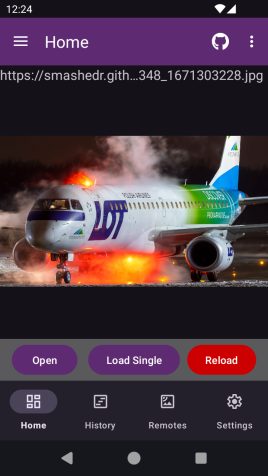
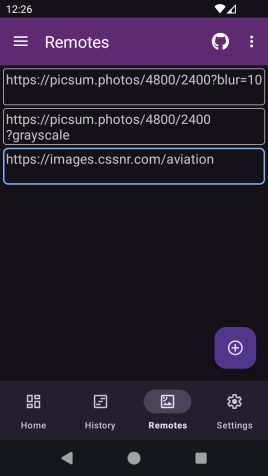
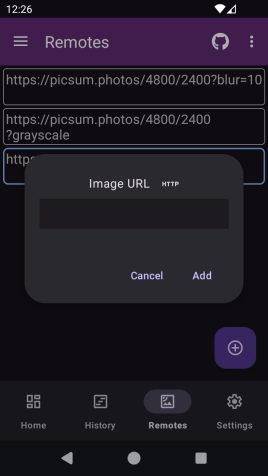
- Add any remote that redirects to a random image.
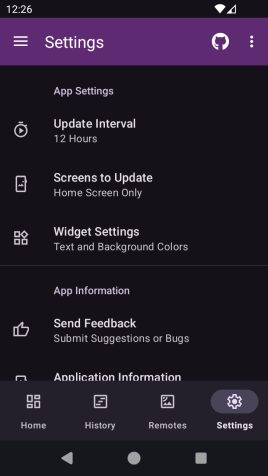
- Automatically rotate at configurable intervals.
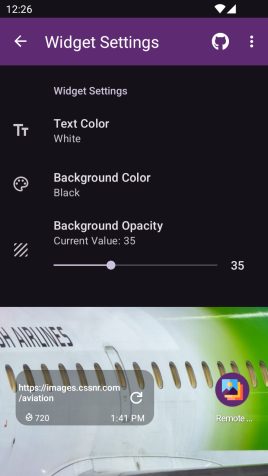
- Widget with refresh button and updated time.
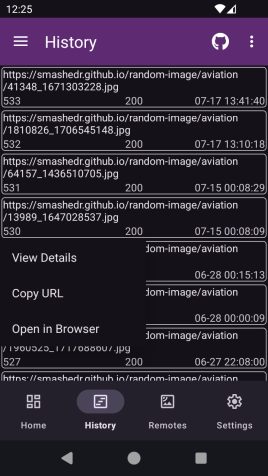
- History of all wallpaper used with links.
- Option to crop wallpaper for device.
Planned
- Image Effects; Blur, Grayscale, etc.
- JSON Result Parser with Custom keys.
Install
To begin install the application on your device (Android 8+ API 26+).
If you are unsure which provider to choose, Obtainium is recommended.



View QR Codes
To install the apk directly you may need to allow installation from unknown sources.
For more information see, Release through a website .
View Manual Steps to Install from Unknown Sources
Note: Downloading and Installing the apk should take you to the settings area to allow installation if not already enabled. Otherwise:
- Go to your device settings.
- Search for "Install unknown apps" or similar.
- Choose the app you will install the apk file from.
- Select your web browser to install directly from it.
- Select your file manager to open it, locate the apk and install from there.
- Download the Latest app-release.apk.
- Open the download apk in the app you selected in step #3.
- Choose Install and Accept any Play Protect notifications.
- The app is now installed. Proceed to the Setup section below.
If you run into any issues or have any questions, support is available.
Setup
- Install and open the app on your device.
- Select your update interval and initial remote.
- Click Set wallpaper and Start to get the ball rolling.
- Or Just Start the App and add a remote from the Remotes.
- Optionally, add the Widget to refresh from the home screen.
For more details, see the Usage guide.
Screenshots
Questions
If you need help getting started or run into any issues, support is available!